

Platform
Govern Azure as one system
Security posture, cost, access, governance and compliance each live in their own Azure blade and their own export. Governator reads them into one model of what exists, who owns it, what it costs, what is risky, and what has to happen next.
What Governator does
Governator collects configuration, security, access, cost and activity data from your Azure subscriptions and resolves it into a single representation of your environment. Every module below reads that same representation, which is why a cost line, a role assignment and a compliance gap can point at the same resource and the same owner.
Overview
Where the environment stands today: risk, spend, exposure, recent change, and what needs attention first across every subscription in scope.
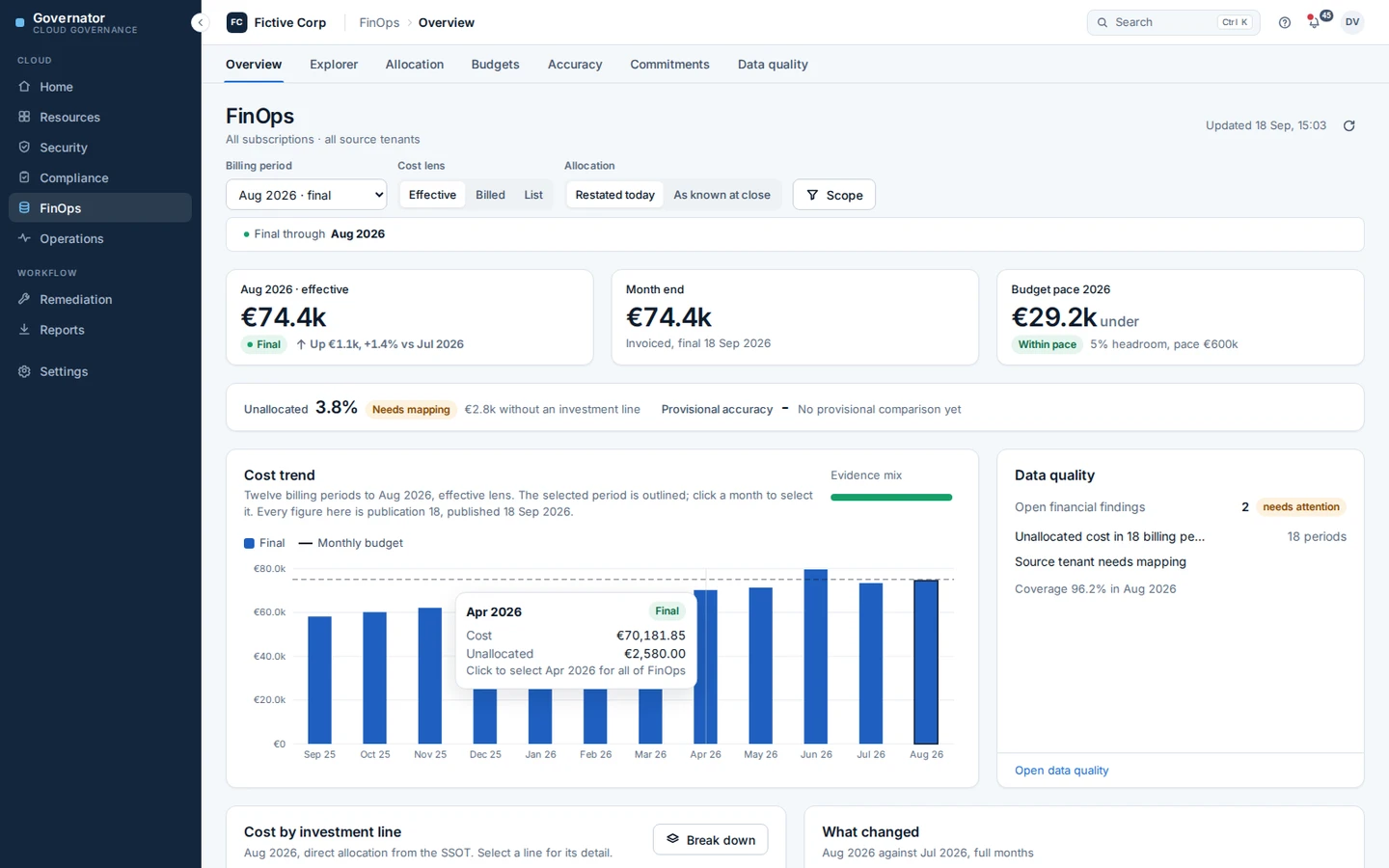
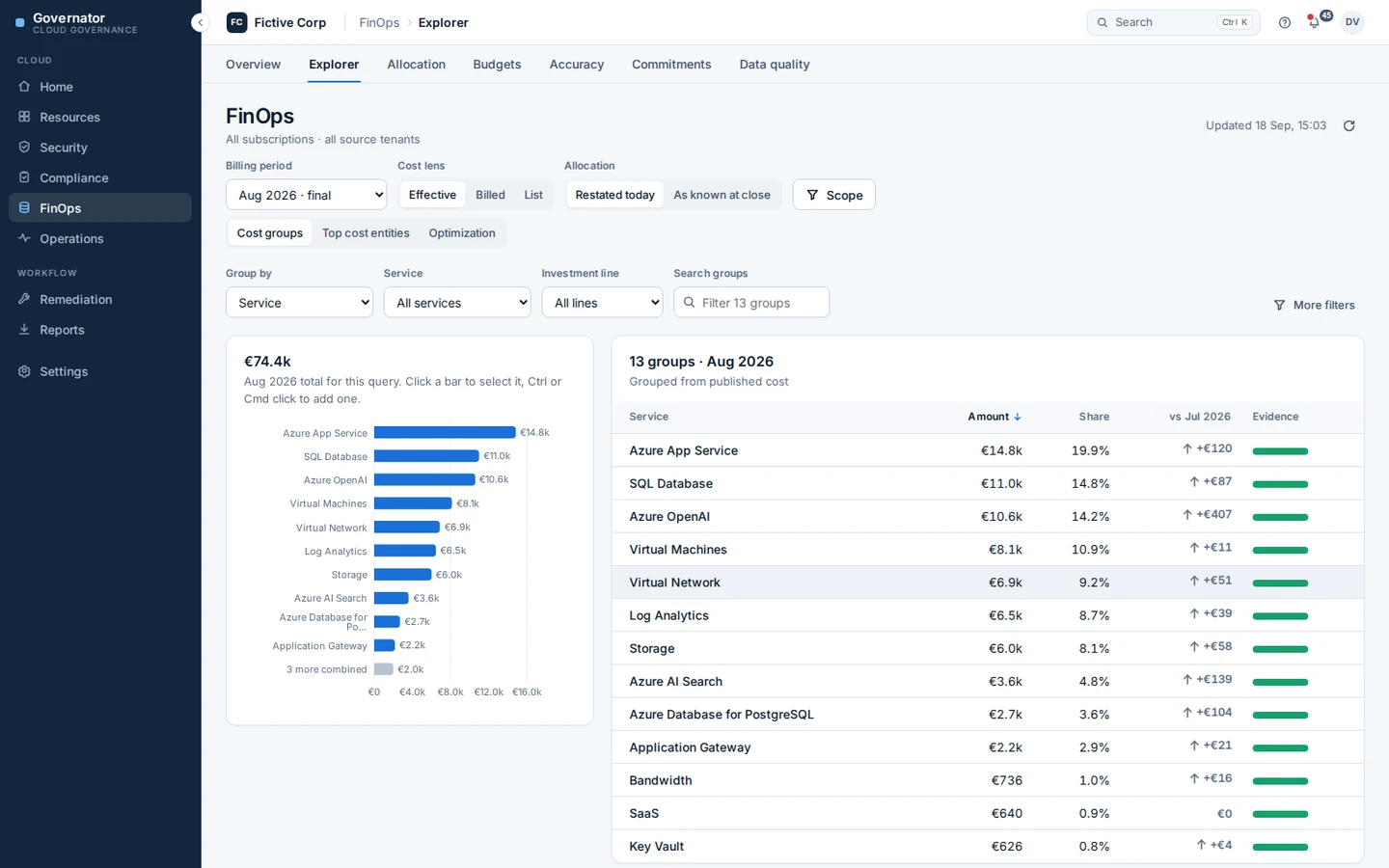
FinOps
Cost with the environment around it. Allocation to the teams and services that pay for it, budgets tied to ownership, commitment coverage, anomalies, and drill-down from an invoice line to the resource.
Security
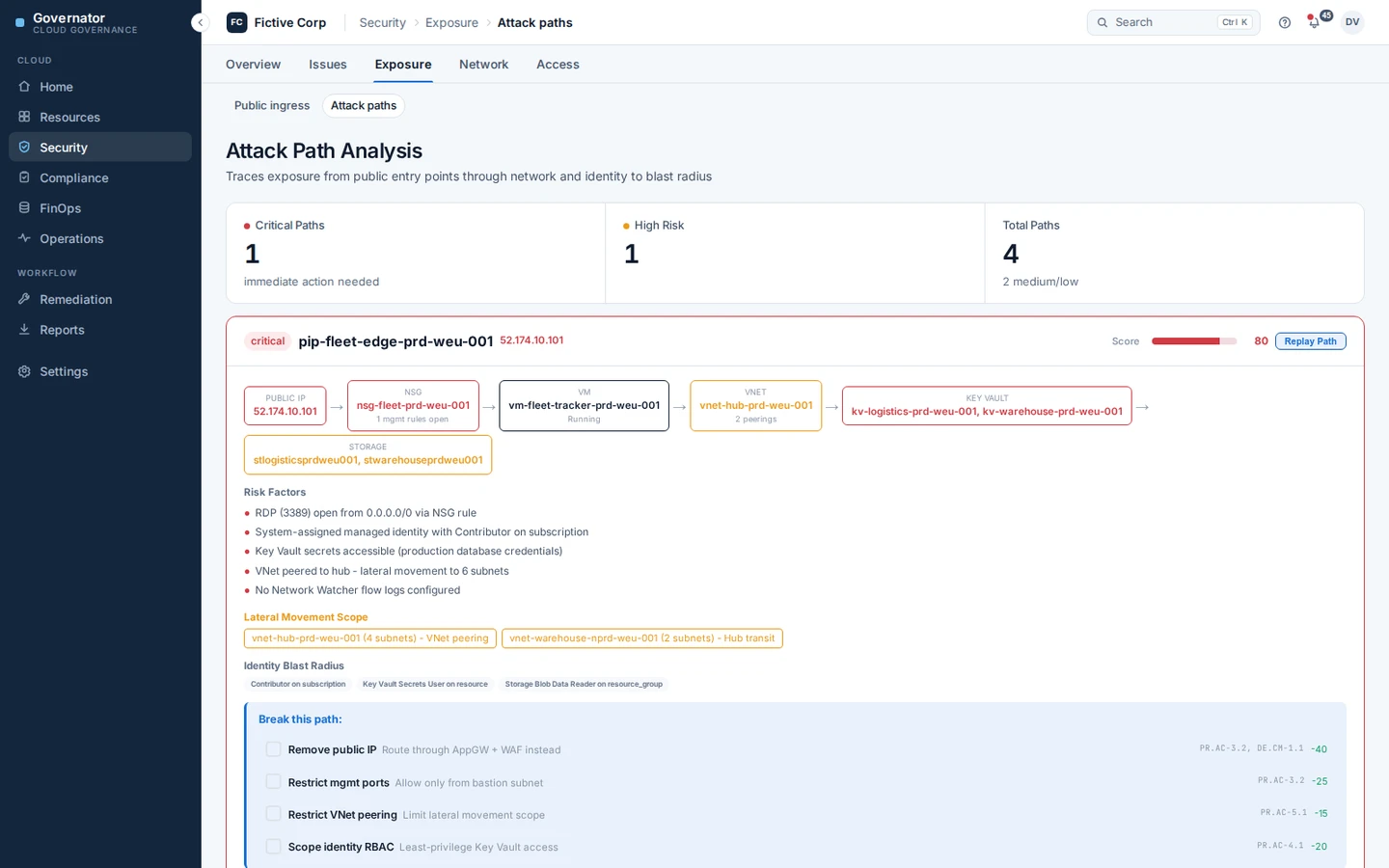
Defender findings, public exposure, WAF and firewall configuration, NSG analysis and attack paths, scored and prioritised rather than listed.
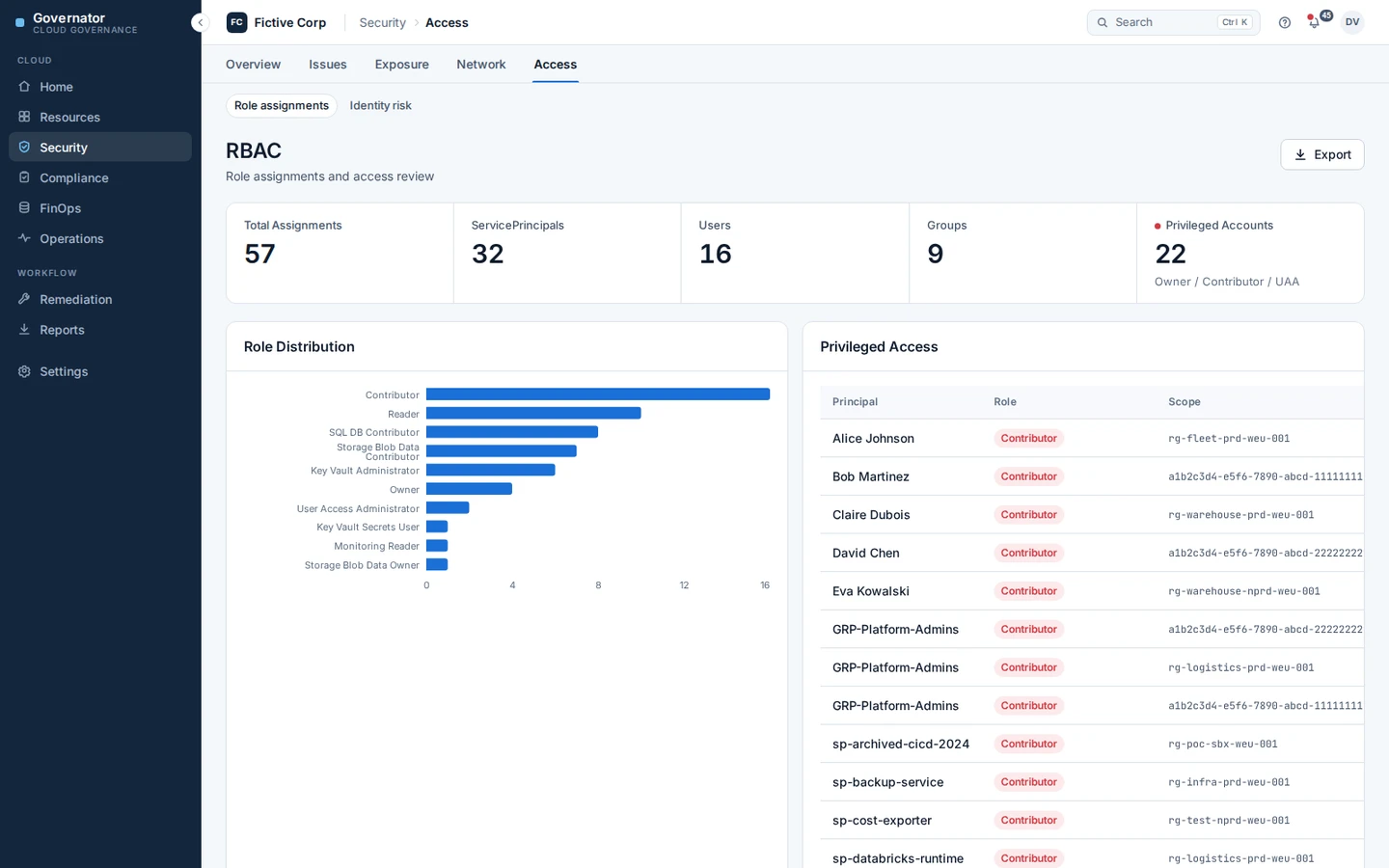
Identity and access
Who holds which role, at which scope, and why. Assignments nobody has used, standing privilege, and the combinations that only become dangerous together.
Compliance and assurance
CyFun, NIS2 and DORA control mapping with interpretation, an evidence trail with attestations and review dates, and audit-ready export.
Governance
Policy compliance, tagging quality, ownership, exceptions, and the workflow that closes findings instead of reporting them.
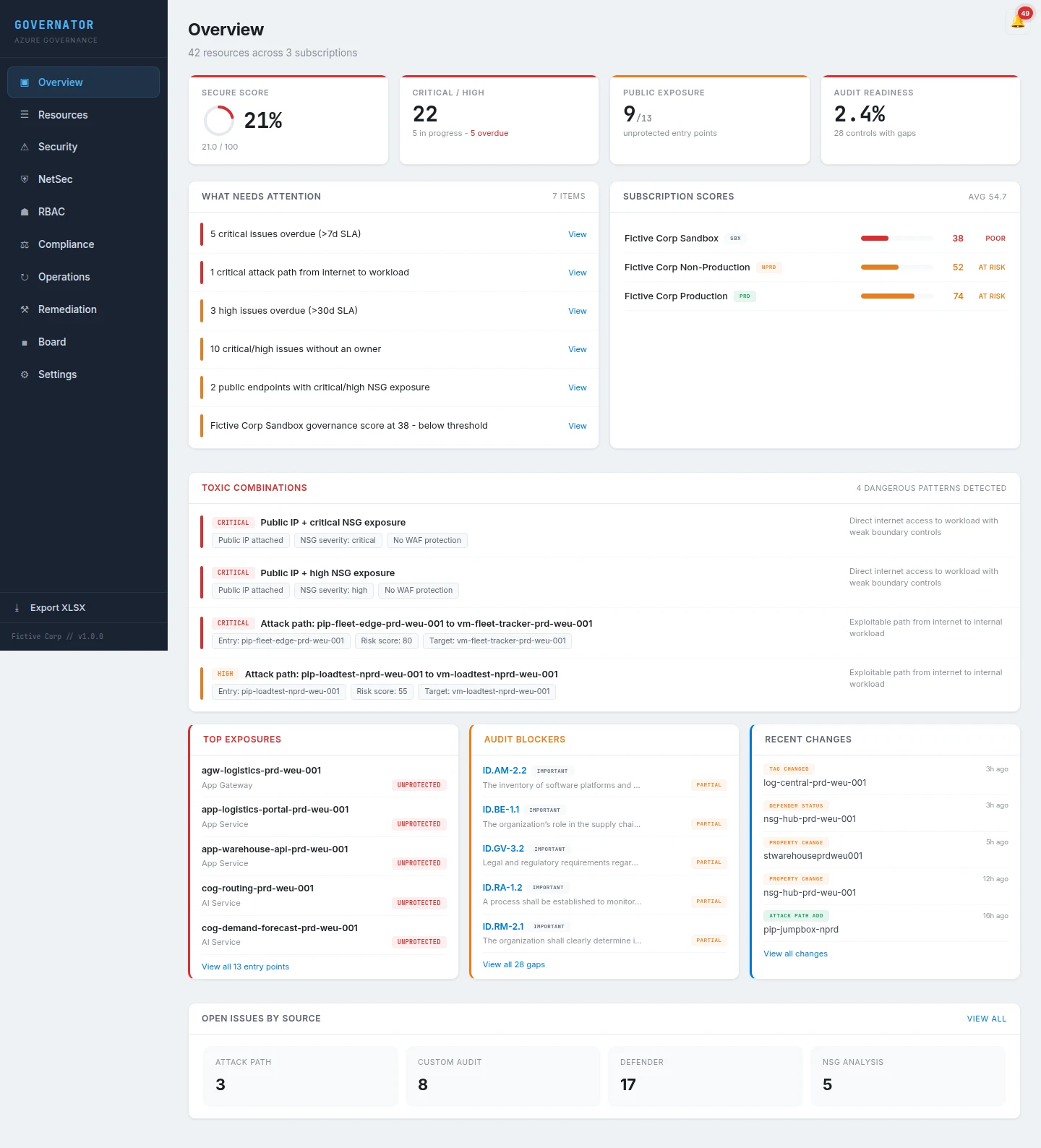
One model under the modules
Those six are not separate tools behind one login. Azure exposes configuration through Resource Graph, security through Defender, spend through Cost Management, access through RBAC and change through the Activity Log, each with its own identifiers, its own shape, and its own idea of what a resource is. Governator normalises them into one representation it owns, so a subscription, a resource, an owner and a cost line mean the same thing in every module.
That is what makes the cross-domain questions answerable. Which resources without an owner are also the expensive ones. Whether the role assignment that failed a control belongs to the same team paying for an idle environment. Which of last month's changes moved the spend and the risk at the same time.
FinOps, and where Azure Cost Management stops
Azure Cost Management is the system of record for what Azure charged you, and Governator does not replace it. Governator reads that data and adds the operating model around it: who pays for it, against which budget, under whose ownership, with the resource and governance context attached.
| Azure Cost Management | Governator FinOps |
|---|---|
| What did Azure charge? | Who should be paying for it? |
| Subscription, resource group and resource views | Allocation to the structure the organisation actually runs on |
| Azure budgets | Budgets tied to named ownership |
| Cost breakdown | Cost with resource, governance and security context |
| Reservation and commitment data | Commitment coverage inside the operating model |
| Tags as Azure metadata | Tags checked against who is accountable |
| A cost anomaly | An anomaly with its owner, resource and change history |
Closed months are reconciled against the billing data and published as final. The current month is a provisional view, replaced when the invoice closes, so a monthly surprise can be traced to a named resource and a named owner while there is still time to act on it.
Who it is for
Security teams
Day-to-day operational security: WAF assessment, public exposure analysis, RBAC audit, Defender finding triage, exemption workflows, drift alerting, cleanup tracking. The output is a prioritised worklist with owners rather than another dashboard.
Platform and finance teams
Cost allocated the way the organisation is actually structured, budget ownership that survives a reorganisation, commitment coverage, tagging quality, and the drill-down that turns a monthly surprise into a resource and an owner.
Management and audit
Compliance evidence, CyFun/NIS2 mapping, board reporting, audit-ready exports, gap narratives. Proof and accountability for the people who need to sign off.
How it works
Data collection
- ✓ Resource Graph (subscriptions, resources, tags, properties)
- ✓ Defender for Cloud (CSPM assessments, secure scores)
- ✓ Azure Policy (compliance states, definition resolution)
- ✓ RBAC (role assignments, principal resolution via MS Graph)
- ✓ Activity Log (90-day activity per resource)
- ✓ Cost Management (billing data, service breakdown)
- ✓ WAF Policies (CRS rules, paranoia level, exclusions)
- ✓ Azure Firewall (rule collection groups, DNAT exposure)
- ✓ Storage Metrics (transactions, capacity, egress)
- ✓ Tag Compliance, Cleanup Detection, Change Detection
AI-powered assessment
- ✓ Per-control gap narrative generated for auditor review
- ✓ Storage account deep inspection with PII detection
- ✓ Resource criticality and data sensitivity classification
- ✓ WAF security assessment with effective protection scoring
- ✓ Defender exemption justification drafting
How Governator is different
Defender / Policy / Secure Score tell you
- • What is misconfigured
- • What is exposed
- • What is non-compliant technically
Governator adds
- ✓ CyFun/NIS2 control mapping with interpretation
- ✓ Ownership and remediation workflow per finding
- ✓ Evidence trail with attestations and review dates
- ✓ Executive summary and audit-ready export
- ✓ One place to track technical and compliance meaning
Compliance depth, kept
Defender tells you what is wrong. Governator tells you what it means for CyFun or NIS2, who owns it, what changed since the last assessment, and what evidence proves it. That was the problem Governator was built for, and broadening the platform has not diluted it.
Control mapping runs against the CCB CyberFundamentals framework, NIS2 Article 21 requirements and DORA ICT risk obligations, with interpretation attached to each control rather than a raw list to work through.
Example: from Defender finding to audit evidence
Defender for Cloud flags a storage account with public blob access enabled
Governator maps it to CyFun PR.AC-3 (access control) and NIS2 Art. 21(2)(d) (access management policies)
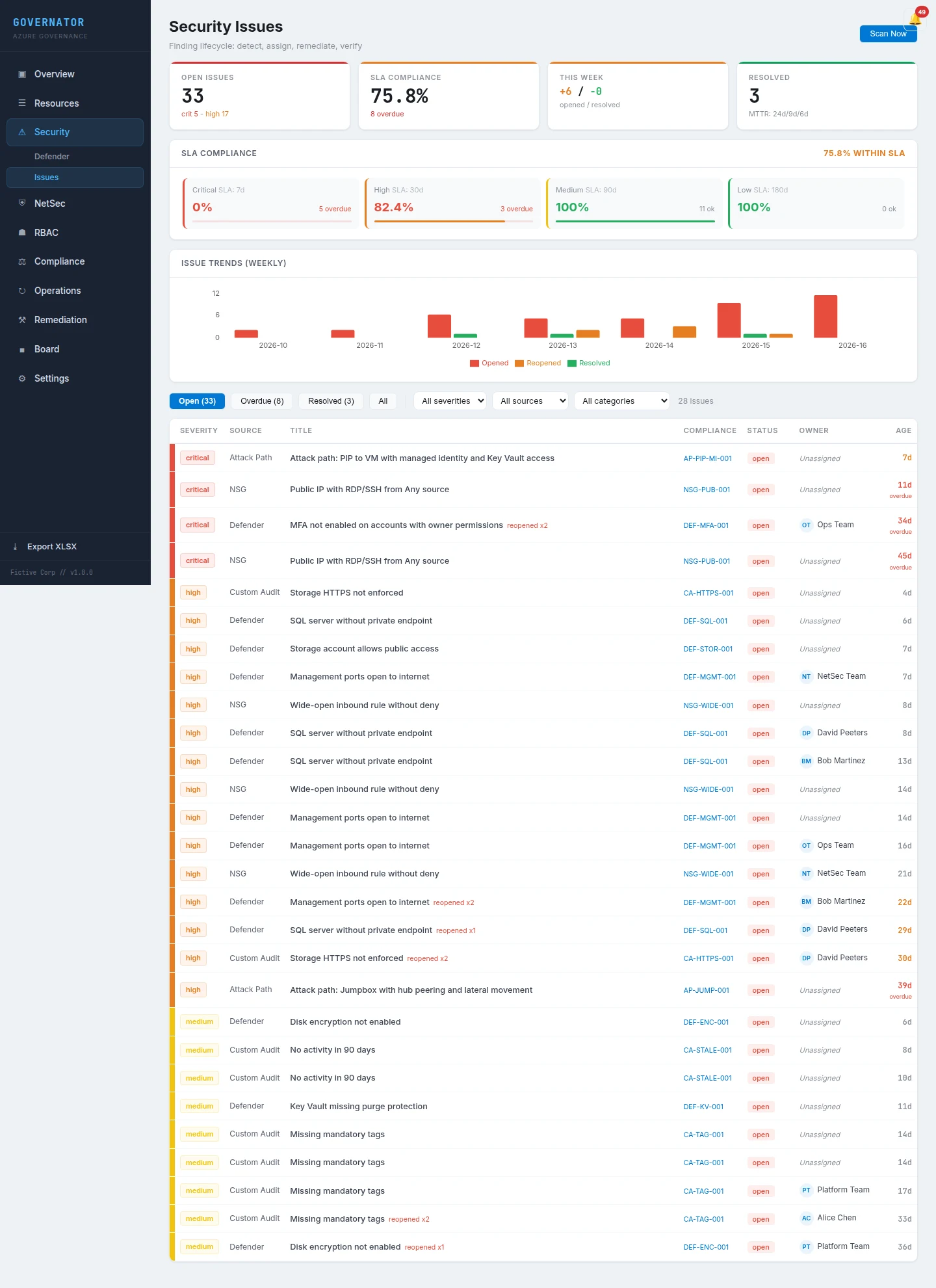
The finding is assigned to the subscription owner with a 14-day remediation SLA
If the public access is intentional, the owner files an exemption with business justification and review date
The corrected or exempted state is included in the next audit evidence pack with full history
From recurring audit costs to continuous assurance
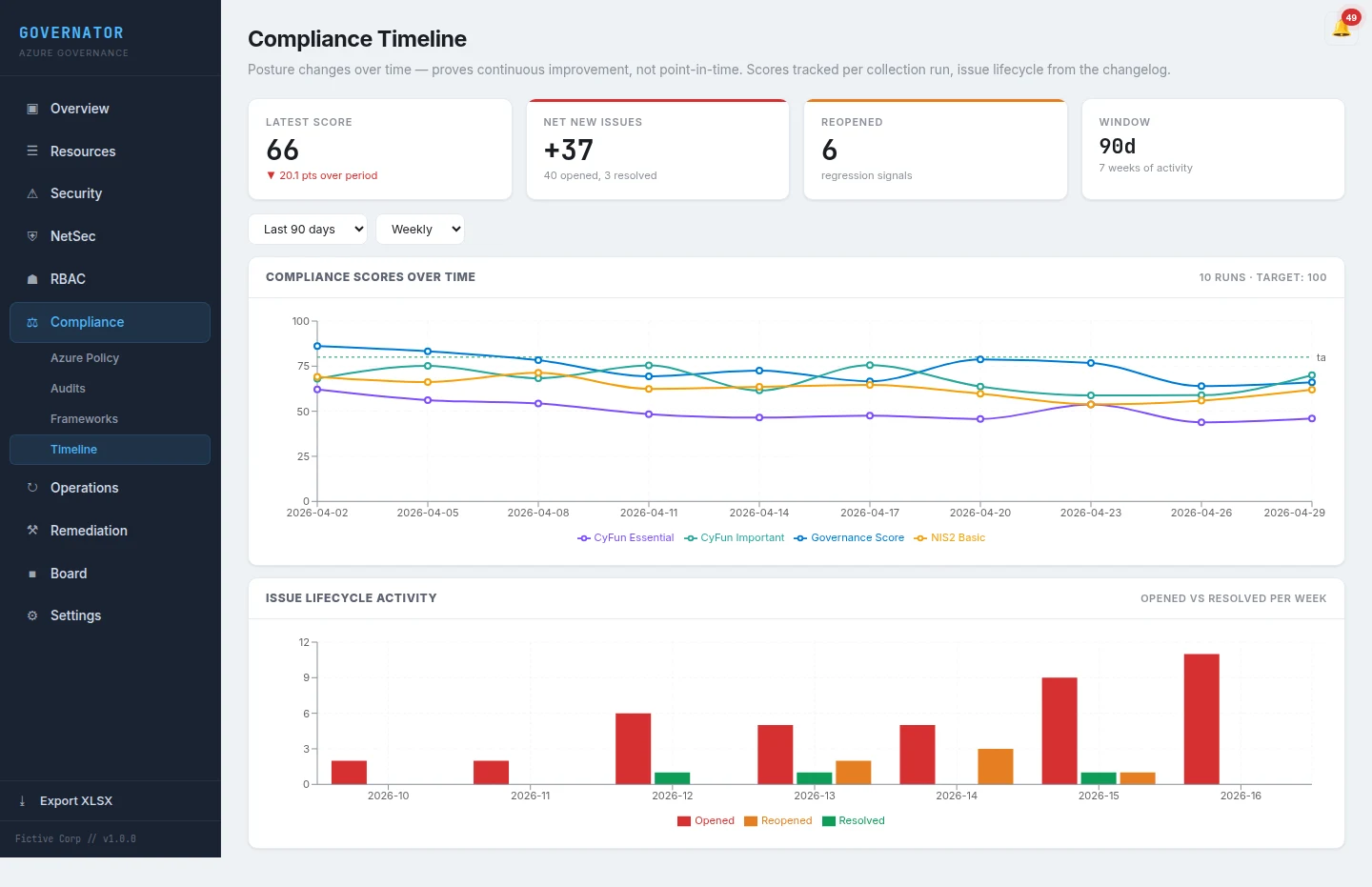
NIS2 and DORA are both ongoing obligations; neither is a one-off certification. NIS2 Article 21 measures must be implemented and maintained, with annual progress reports under the Belgian regime. DORA requires continuous ICT risk management, mandatory operational resilience testing, and an up-to-date third-party register. The audit never really ends.
Most organisations meet that with recurring readiness assessments: every twelve months, an external consulting engagement, a fresh PDF, and another budget cycle. The drift between assessments is where most failures show up. Governator inverts the model. A one-time assessment to baseline, then continuous assurance as a managed service. Evidence regenerates on demand. The recurring spend goes into tooling that produces auditor-ready output instead of commissioning a new consulting deliverable every year.
- ✓ Replaces the annual external readiness engagement with continuous data collection.
- ✓ Generates fresh evidence packs on demand for the next audit, snapshot review, or board update.
- ✓ Alerts on drift between assessments, where the actual failures happen.
- ✓ Keeps the recurring budget inside the toolchain instead of in repeat consultancy fees.
Assessment or continuous assurance?
Governator powers both. A CyFun/NIS2 Readiness Assessment is a one-time engagement that uses Governator to produce a point-in-time compliance picture with expert interpretation. For organisations that need ongoing visibility, Governator runs continuously as a managed service with regular collection, drift detection, and management reporting.
Most organisations start with an assessment and move to continuous assurance when they see the value of the evidence trail.
Go deeper
NIS2 on Azure
Article 21 mapping & audit evidence
Per-measure mapping, Belgian timeline, and what Microsoft does not give you on NIS2.
CyFun on Azure
Basic, Important, Essential assurance
748 control-evidence links, assurance-level exports, and gap narratives for CyberFundamentals.
DORA on Azure
ICT risk, resilience & third-party register
The four DORA pillars on Azure, with a maintained third-party register and resilience-testing trail.
Comparison
Defender for Cloud vs Governator
Where Defender stops on NIS2 and CyFun, and the layer Governator adds on top.
From the blog
Start with a Governator-powered Azure Health Check
Not sure where to begin? A quick architecture review gives you a clear picture. No obligation.
- ✓ Risk scorecard across identity, network, governance, and security
- ✓ Top 10 issues ranked by impact and effort
- ✓ 30-60-90 day roadmap with quick wins