Azure DevOps: Five Services, and Why VSTS Was Split Up
In this article
Updated October 2026: Written when VSTS became Azure DevOps. The rename is long finished, but the thing it introduced, five services you can switch on separately, is still the platform model and still the reason the product is adopted piecemeal. That is what this article is now about. The VSTS migration steps have gone, because nobody is migrating from VSTS in 2026. The prices below were re-checked and have not moved in eight years, with one change in what you get for free.
On 10 September 2018, Microsoft renamed Visual Studio Team Services to Azure DevOps. The name was the small part. The monolithic product was split into five standalone services, and that decision still shapes how teams adopt and pay for the platform.
From One Product to Five Services
VSTS was a single product. You signed up and got everything: work tracking, source control, builds, releases, test management and package feeds, whether you needed all of it or not.
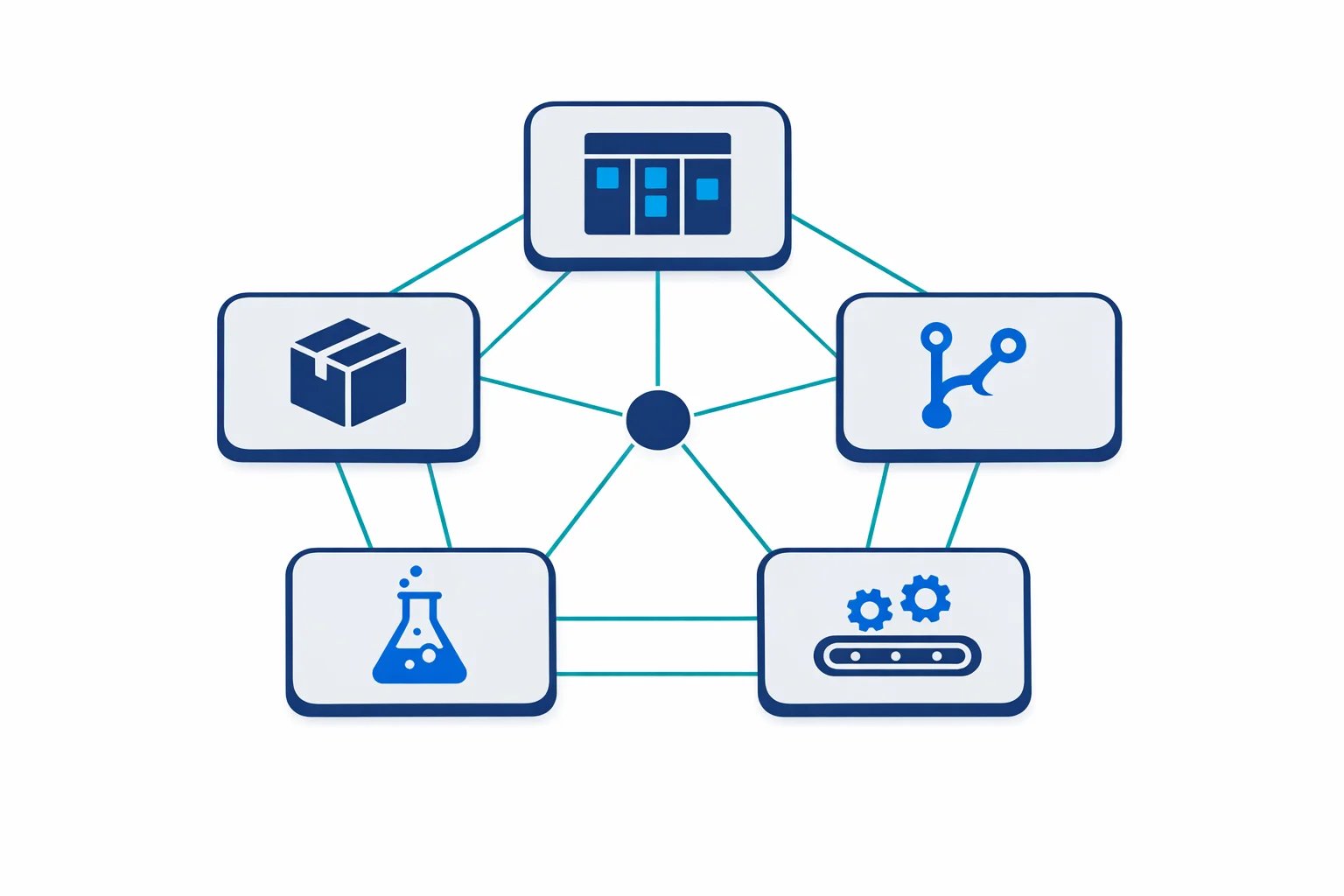
Azure DevOps breaks this into five services. Azure Boards does work item tracking, Kanban boards, backlogs and sprint planning. Azure Repos holds Git repositories, and TFVC for the centralised model, which is still supported. Azure Pipelines runs build and release automation. Azure Test Plans covers manual and exploratory testing. Azure Artifacts provides private package feeds for NuGet, npm, Maven, Python and universal packages.
The change that mattered is that each one can be enabled or disabled independently per project. A team that only needs CI/CD turns on Pipelines and nothing else. A team already using Jira for work tracking skips Boards and takes Repos and Pipelines. You don’t have to sell the whole platform to a team that needs one piece of it, and eight years on that is still how the product gets into organisations.
Azure docs: What is Azure DevOps? · Azure DevOps service overview
Azure Pipelines and the Move to YAML
The biggest change alongside the split was YAML-based pipelines. VSTS had the classic editor: a GUI where you clicked through build steps and filled in form fields. It worked, and it was poor for teams who wanted pipeline definitions version-controlled alongside application code.
YAML pipelines fixed that. The definition lives in the repository as an azure-pipelines.yml file:
trigger:
  branches:
    include: [main]

pool:
  vmImage: 'ubuntu-latest'

steps:
  - script: dotnet build --configuration Release
    displayName: 'Build'
  - script: dotnet test --configuration Release --no-build
    displayName: 'Test'
  - task: PublishBuildArtifacts@1
    inputs:
      pathToPublish: '$(Build.ArtifactStagingDirectory)'
For infrastructure teams this is the whole argument. Pipeline changes go through the same pull request review as your Terraform, and you can branch, diff and roll back a pipeline definition like any other code. The classic editor still exists and YAML has long since become the default.
Azure docs: YAML pipeline schema reference · Create your first pipeline
Azure Repos and GitHub
Microsoft owns both. The GitHub acquisition closed in October 2018, weeks after this rebrand, which made the question immediate and keeps it live for enterprises today.
Azure Repos earns its place when you are already deep in Boards and Pipelines, when you need TFVC for a centralised repository, or when data residency in a particular Azure region and a single Microsoft Entra ID identity model are requirements. GitHub wins on community, on open source proximity, and on code review tooling, where its pull request experience is better.
The practical answer has not changed. For greenfield projects GitHub is the stronger default, and Microsoft’s engineering attention has gone there. For an enterprise with years of work item history and pipeline definitions in Azure DevOps, Repos still makes sense, and moving repositories for fashion is a bad trade.
You can also run both. Azure Pipelines builds GitHub repositories natively, so CI/CD does not require moving source control:
resources:
  repositories:
    - repository: app
      type: github
      endpoint: my-github-connection
      name: contoso/web-app

steps:
  - checkout: app
  - script: npm install && npm test
Whether to keep Pipelines at all is a separate question from where the code lives, and GitHub Actions for Azure answers that one.
Azure docs: Azure Repos documentation · Build GitHub repositories
Azure Artifacts and Upstream Sources
Before the split, package management was a paid VSTS extension. Azure Artifacts includes it, with 2 GiB of storage per organisation at no cost.
The feature worth knowing is upstream sources. An Artifacts feed can proxy public registries such as nuget.org, npmjs.com and Maven Central, so build agents only need network access to your Azure DevOps organisation, and packages are cached on first download:
# Configure npm to use your Azure Artifacts feed
npm config set registry https://pkgs.dev.azure.com/contoso/_packaging/shared-feed/npm/registry/

# Or add a .npmrc to your repository
echo "registry=https://pkgs.dev.azure.com/contoso/_packaging/shared-feed/npm/registry/" > .npmrc
echo "always-auth=true" >> .npmrc
For environments with strict egress rules, that solves a real problem without standing up Nexus or Artifactory.
Azure docs: Azure Artifacts overview · Upstream sources
It Is Not a Walled Garden
Azure DevOps integrates outward more readily than its reputation suggests. It works with GitHub for repositories and pull request triggers, triggers Jenkins jobs and publishes their results, connects to Jira through extensions for teams not using Boards, and pushes events to any webhook endpoint through service hooks. Slack and Teams both receive notifications, approvals and pipeline status.
Pricing
The rates have not moved since 2018, which is unusual enough to be worth stating plainly. The first 5 users are free on the Basic plan and additional users cost $6 per user per month. Test Plans is a separate plan at $52 per user per month, and most teams skip it. Extra parallel jobs cost $40 per month Microsoft-hosted or $15 per month self-hosted, both with unlimited minutes. Artifacts includes 2 GiB per organisation.
One thing did change, and it catches people out. The free Microsoft-hosted parallel job is no longer granted automatically. Microsoft temporarily disabled the free grant for public projects and for some private projects in new organisations, so a new organisation’s first pipeline run can fail with “No hosted parallelism has been purchased or granted” until you submit the request form and wait a few business days. Existing organisations were not affected. The 2018 version of this article described free parallelism as something you simply got, and for a new organisation that is no longer true.
Azure docs: Azure DevOps pricing · Parallel jobs
What the 2018 Call Got Right
This article originally predicted that GitHub would take the new-project market, that GitHub Actions would close the CI/CD gap, and that Azure DevOps would hold on in enterprises needing tight identity integration, compliance features and real work item tracking.
That is roughly what happened. GitHub Actions reached general availability in November 2019 and became the default for new projects. Azure DevOps did not go away: it remains supported, widely deployed in regulated organisations, and still receives platform work, though the ambitious engineering now lands on the GitHub side.
What this means for a team choosing today is unchanged from the original advice, and it follows from the split rather than from the branding. Use the services you need. If that is Pipelines against a GitHub repository, that combination is supported and common. If it is Boards and Repos because your audit trail lives there, that is a legitimate choice with years of support behind it. The point of breaking one product into five was that you would never again have to take all of it to get one part.
Legacy visualstudio.com organisation URLs still resolve and redirect to dev.azure.com, seven years after the move, so old bookmarks and git remotes have not broken. Updating them is still worth doing, because nothing guarantees that forever:
# Update your git remotes
git remote set-url origin https://dev.azure.com/contoso/MyProject/_git/MyRepo
Ready to automate your infrastructure?
From Infrastructure as Code to CI/CD pipelines, we help teams ship faster with confidence and less manual overhead.